

In today’s digital world, images play an important role in communication, marketing, education, and entertainment. Whether you are a student, business owner, blogger, designer, or social media user, you may often need to convert image files from one format to another. Image conversion is a simple process that allows users to change an image’s format while maintaining its quality and usability.
Different devices, websites, and applications support different image formats. Because of this, converting images has become a common requirement for people who work with digital content. Understanding how image conversion works can help you save time, improve compatibility, and optimize image performance.
What Does It Mean to Convert an Image?
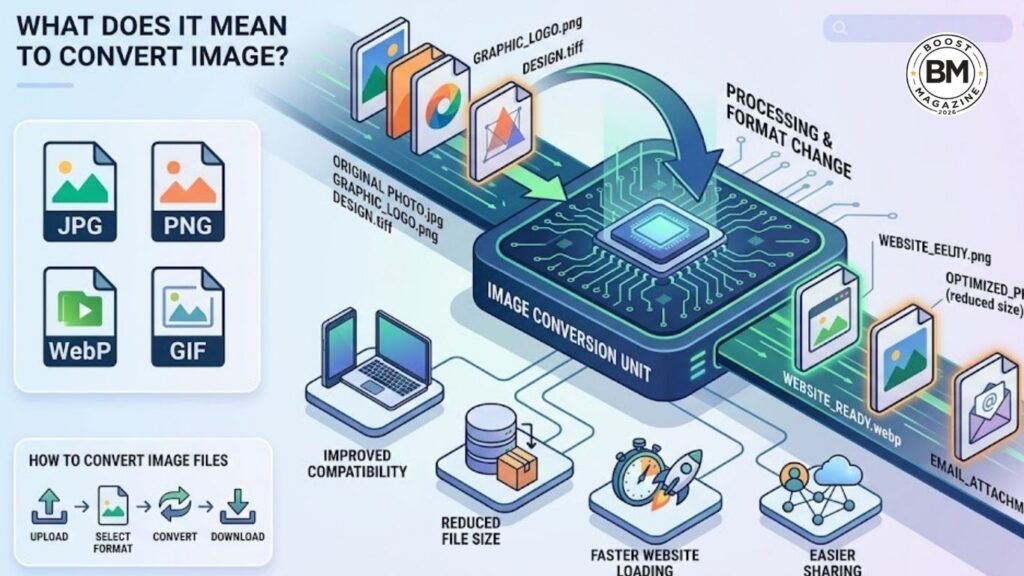
To convert an image means changing an image file from one format to another. For example, you can convert a PNG image into JPG, a JPG into WebP, or a TIFF file into PNG. The image itself remains the same, but its file format changes to suit specific needs.
Image conversion is useful when you need to upload images to websites, share them through email, reduce file size, or ensure compatibility with certain software. Most image conversion tools make the process quick and easy, often requiring only a few clicks.
Common Image Formats
Before converting an image, it is helpful to understand the most common image formats:
JPG (JPEG)
JPG is one of the most widely used image formats. It offers good image quality while keeping file sizes relatively small. It is ideal for photographs and web use.
PNG
PNG supports transparent backgrounds and maintains high image quality. It is commonly used for logos, graphics, and illustrations.
WebP
WebP is a modern image format that provides excellent compression while maintaining quality. Many websites use WebP to improve loading speed.
GIF
GIF is commonly used for simple animations and graphics. It supports limited colors but remains popular for animated content.
TIFF
TIFF is often used in professional photography and printing because it preserves image quality with minimal compression.
Benefits of Using a Convert Image Tool
There are many advantages to using a tool that helps you convert image files:
Improved Compatibility
Different platforms require different image formats. Converting images ensures that they can be viewed and used across various devices and applications.
Reduced File Size
Large image files can slow down websites and take up valuable storage space. Converting images to more efficient formats can significantly reduce file size.
Faster Website Performance
Optimized images improve website loading speed, creating a better user experience and potentially improving search engine rankings.
Easier Sharing
Smaller image files are easier to upload, download, and share through email, messaging apps, and social media platforms.
Better Storage Management
Converting and compressing images helps users save storage space on computers, smartphones, and cloud platforms.
How to Convert Image Files
The process to convert image files is usually straightforward:
- Choose a reliable image conversion tool.
- Upload the image you want to convert.
- Select the desired output format.
- Adjust quality settings if needed.
- Start the conversion process.
- Download the converted image.
Most online image converters support multiple formats and provide instant results without requiring software installation.
Choosing the Right Image Format
Selecting the correct format depends on your specific needs. JPG is ideal for photographs, PNG works best for transparent graphics, WebP is excellent for websites, and TIFF is suitable for professional printing. Understanding the strengths of each format helps you make better decisions when converting images.
Conclusion
The ability to convert image files is an essential skill in the digital age. Whether you need better compatibility, smaller file sizes, improved website performance, or easier sharing, image conversion offers a practical solution. Modern image conversion tools make the process fast, simple, and accessible to everyone. By choosing the right format and using a reliable converter, you can ensure your images are optimized for any purpose while maintaining the quality you need.