
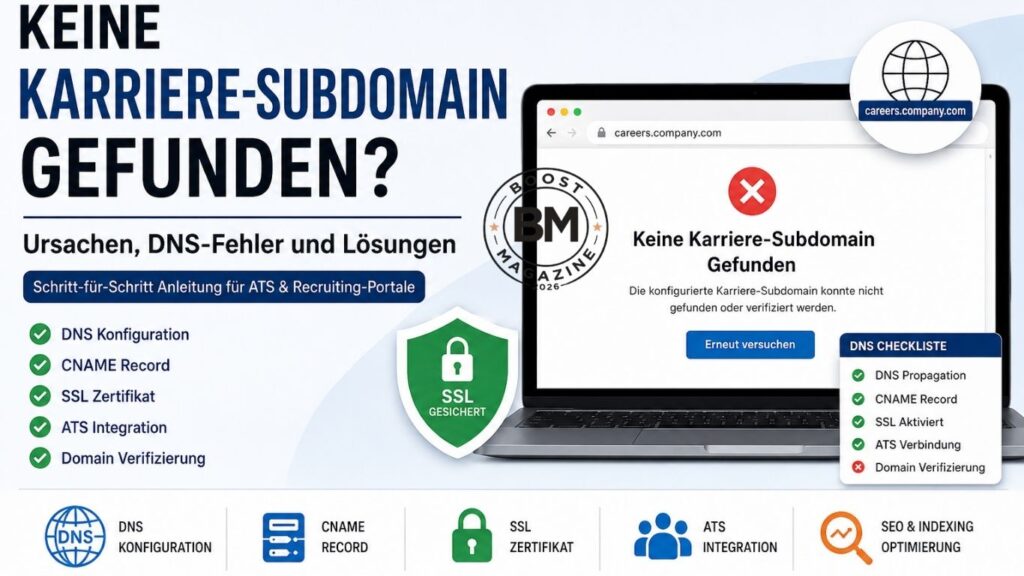

The error message “keine karriere-subdomain gefunden” can quickly become a serious issue for companies, recruiters, and website administrators. Modern recruiting platforms and ATS systems expect a properly configured career subdomain so candidates can access job listings and application pages without problems. When the connection between the domain, DNS settings, and recruiting platform fails, this error often appears. For many users, the issue seems complicated at first, even though the cause is usually a small configuration mistake.
In most cases, the problem is related to incorrect DNS configuration, invalid CNAME records, SSL certificate issues, or an incomplete ATS integration. Technical SEO factors also play an important role because search engines can only index career pages if the subdomain is configured correctly. Many companies use dedicated career portals such as careers.company.com to manage hiring professionally. However, if the technical connection fails, the career page may become inaccessible or invisible in Google search results.
This guide explains step by step why the error appears, how career subdomains work, and how to fix the problem permanently. You will also learn how ATS platforms such as Greenhouse, Lever, and Workday interact with subdomains and which technical SEO practices are important for keeping your career page stable, accessible, and search-engine friendly.
What Does “keine karriere-subdomain gefunden” Mean?
The message “keine karriere-subdomain gefunden” means that a recruiting system or ATS platform cannot detect the configured career subdomain. This issue usually appears when a company tries to connect its own domain to a recruiting platform. Instead of using the main company website for job listings, many organizations create a separate subdomain such as careers.company.com or jobs.company.com. This subdomain acts as a dedicated career portal for applications and hiring processes.
ATS systems automatically check whether the provided subdomain is correctly connected. During this verification process, the platform validates DNS settings, SSL certificates, and domain configuration. If one of these components is missing or incorrectly configured, the system may display the message “no careers subdomain detected.” Many beginners are unaware that even a small mistake in a CNAME record can prevent the entire setup from working.
Understanding the difference between a domain and a subdomain is also important. The primary domain might be company.com, while careers.company.com is a separate section created specifically for recruiting. This structure helps businesses organize hiring activities separately from the main website while improving scalability and technical management.
Another important concept is custom domain mapping. This process connects the company’s branded domain with the applicant tracking system. Proper domain verification is required for this connection to work successfully. If the DNS configuration or SSL certificate is incorrect, the ATS platform may fail to recognize the career subdomain. That is why this issue is one of the most common technical problems in HR technology and recruiting software.
Why Is the Career Subdomain Not Working?
When a career subdomain stops working, the issue is usually caused by a technical configuration problem. Many users initially assume the recruiting platform itself is broken, but in reality, DNS settings or server configurations are often responsible. Since several technical systems must work together properly, even a small mistake can make the career page inaccessible.
DNS Configuration Errors
DNS configuration forms the foundation of every working subdomain. DNS servers direct website requests to the correct destination server. For example, when careers.company.com is created, the DNS system must know exactly where that traffic should go. If the DNS record is missing or points to the wrong server, users may see errors such as “Karriere subdomain funktioniert nicht.”
Problems commonly occur when using providers like Cloudflare DNS or other hosting services. Users sometimes enter incorrect values or forget important records entirely. A faulty server configuration can also prevent the recruiting platform from validating the domain connection. Even simple typing mistakes inside DNS records frequently cause failures.
Another important factor is DNS propagation. DNS changes are not updated worldwide instantly. Depending on the provider, it may take several hours before new records become fully active. During this period, the error may still appear even if the configuration is already correct.
Incorrect CNAME Records
A CNAME record connects the career subdomain to the recruiting platform’s target server. Many ATS systems require this specific record to establish the connection properly. If the CNAME is incorrect, users may encounter a “subdomain verification failed careers page” error.
Common mistakes include using the wrong target value or placing the record incorrectly within the DNS manager. Some users also confuse A records with CNAME records. While an A record points directly to an IP address, a CNAME links one domain to another domain. Understanding this difference is essential for any career portal setup.
Duplicate DNS records can also create conflicts. When multiple records contradict each other, the ATS platform may not know which configuration to trust. As a result, the career subdomain verification fails.
SSL Certificate Problems
A valid SSL certificate is essential today. Modern browsers and recruiting platforms no longer trust insecure websites. If a career subdomain does not use HTTPS or has an invalid certificate, the system may display a “subdomain SSL issue careers page” error.
Many ATS systems automatically check whether HTTPS is properly enabled. If the SSL certificate is missing or installed incorrectly, the platform may reject the connection entirely. Mixed-content issues can also appear when some website elements still load through HTTP instead of HTTPS.
SSL problems affect not only security but also technical SEO. Google prioritizes secure websites and may struggle to index career pages with SSL issues. That is why enabling HTTPS should always be part of the initial subdomain setup process.
ATS Cannot Detect the Subdomain
Sometimes the issue comes directly from the applicant tracking system itself. Platforms like Greenhouse or Lever may require a manual synchronization after DNS settings are updated. If the connection is not refreshed, the ATS may continue using outdated configuration data.
API issues or incomplete ATS integration setups can also prevent proper recognition. Some recruiting platforms temporarily cache old DNS information, meaning new settings may not be detected immediately. In these situations, re-verifying the domain usually resolves the issue.
DNS Propagation Is Still In Progress
DNS propagation often confuses beginners because changes do not apply instantly worldwide. Some users may see the updated career page while others still experience errors. This delay is completely normal and usually resolves automatically once DNS servers finish updating.
DNS checking tools are useful for monitoring propagation progress. These tools show whether the new DNS records are active globally or whether some servers still use outdated information.
How to Properly Create a Career Subdomain
Creating a career subdomain correctly helps businesses avoid many technical problems later. A clean setup improves both user experience and ATS integration while supporting long-term technical SEO performance.
The first step usually happens inside the hosting control panel, where a new subdomain such as careers.company.com is created. Most hosting providers offer built-in tools for managing subdomains. It is important to keep the career section separate from the main website to avoid redirect conflicts or duplicate content issues.
The next step involves DNS configuration. Here, users add CNAME or A records to connect the subdomain with the recruiting platform. Accuracy is critical during this process because even one incorrect character can prevent verification from succeeding.
Most recruiting platforms provide exact DNS values that must be copied carefully. Users working with Cloudflare DNS should pay attention to proxy settings because enabling certain Cloudflare features can interfere with ATS verification.
After configuring DNS records, enabling an SSL certificate should be the next priority. Many hosting providers offer free SSL certificates through Let’s Encrypt, making HTTPS setup simple and affordable. Secure connections improve both user trust and SEO performance.
Finally, the subdomain must be connected to the ATS platform. Systems such as Greenhouse, Lever, or Workday usually perform a domain verification process to confirm that DNS settings are correct. Once verification succeeds, the career portal becomes publicly accessible.
A properly configured careers subdomain setup also improves SEO structure, allowing companies to organize job postings more effectively and improve visibility in search engines.
ATS Platforms and Common Career Subdomain Problems
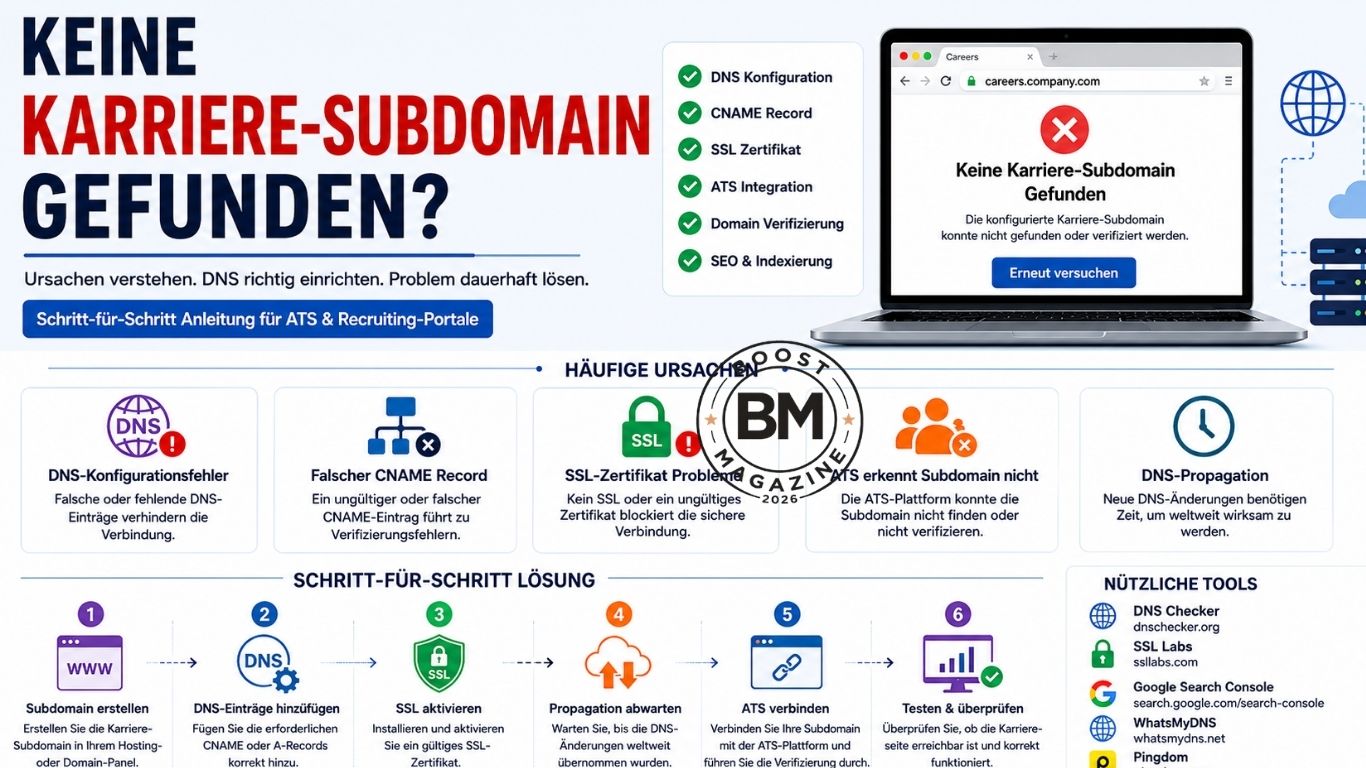
Different ATS platforms use different methods for domain connections, which is why setup problems vary depending on the provider. Beginners often struggle because each platform has unique DNS and SSL requirements.
Greenhouse commonly requires a specific CNAME record for verification. During a Greenhouse custom domain setup, issues often occur because of incorrect DNS values or problematic Cloudflare proxy settings. SSL problems are also common if HTTPS is not configured correctly.
Incorrect redirects frequently cause issues with the Lever careers page subdomain. Some companies accidentally create multiple redirect chains, preventing the ATS from detecting the correct destination page. Cached DNS information can also delay successful verification.
Workday careers domain issues are especially common in large organizations with complex server environments. Since Workday integrates with many enterprise systems, DNS conflicts and internal security policies can interfere with proper domain connections.
Personio and Recruitee may require additional TXT records or specialized SSL configurations. If these settings are incomplete, the platform may display a “Karriere Subdomain wird nicht erkannt” error.
Another common issue with recruiting software domain configuration is poor documentation. Many platforms explain technical concepts only briefly, leaving beginners confused about DNS propagation, custom domain mapping, and SSL requirements.
Technical SEO for Career Subdomains
A working career subdomain should not only function technically but also be properly indexed by Google. Many businesses focus entirely on ATS integration while ignoring important technical SEO practices.
If a “career site not indexed on google” issue appears, the problem often comes from robots.txt restrictions or missing XML sitemaps. Search engines need clear instructions about which pages should be crawled and indexed. Without proper structure, career pages may remain invisible in search results.
Canonical URLs are equally important. Some recruiting platforms generate duplicate pages across multiple URLs. Without correct canonical tags, Google may struggle to determine which version should rank.
Page speed and mobile optimization also influence visibility significantly. Many candidates access career portals through smartphones, so slow-loading pages can hurt both user experience and rankings.
Crawlability should be monitored regularly. Broken redirects, blocked JavaScript files, or inaccessible pages can prevent search engines from indexing job listings properly. Strong technical SEO improves not only rankings but also organic recruitment performance over time.
Step-by-Step Troubleshooting for Career Subdomains
Fixing the “keine karriere-subdomain gefunden” error requires a structured approach. Many users make the mistake of changing multiple settings at once, which often creates even more confusion.
The first step is checking the DNS configuration using DNS checker tools. These tools confirm whether the subdomain resolves correctly and whether DNS propagation is complete.
The second step is testing the SSL connection. Browser warnings or HTTPS errors usually indicate certificate problems. Online SSL testing tools can quickly identify invalid or incomplete SSL configurations.
Next, reconnect or re-sync the ATS integration. Recruiting platforms sometimes cache old DNS data temporarily, so refreshing the connection often resolves the issue.
After that, check Google Search Console for indexing or crawl errors. If Google cannot access the career subdomain, technical SEO problems may be preventing visibility.
Finally, review server logs if the problem continues. Hosting providers often store detailed error information that helps identify hidden configuration issues.
Frequently Asked Questions About Career Subdomains
What Is a Career Subdomain?
A career subdomain is a dedicated section of a company website used specifically for job postings and recruitment. Examples include careers.company.com or jobs.company.com. Businesses use subdomains to separate hiring operations from the main website while improving ATS integration.
How Long Does DNS Propagation Take?
DNS propagation usually takes anywhere from a few minutes to 48 hours. During this period, DNS servers worldwide update their records, meaning some users may still see outdated information temporarily.
Does a Career Subdomain Need SSL?
Yes, an SSL certificate is essential. Without HTTPS, browsers may label the website as insecure, and many ATS platforms may reject the connection entirely. SSL also improves SEO performance and user trust.
Why Is Google Not Indexing My Career Site?
Google may fail to index a career site because of technical SEO issues such as blocked robots.txt files, missing XML sitemaps, incorrect canonical URLs, or slow page speed.
How Do You Fix a CNAME Error?
A CNAME error is usually fixed by correcting the DNS record according to the recruiting platform’s instructions. Users should also check for conflicting or duplicate DNS records.
How Do You Connect an ATS Platform to a Subdomain?
The connection process typically involves adding DNS records provided by the ATS platform and completing domain verification. Once verification succeeds, the recruiting system connects automatically to the career subdomain.
Conclusion
The “keine karriere-subdomain gefunden” error may appear complicated at first, but in most cases, it can be resolved fairly easily. The problem is usually caused by incorrect DNS settings, invalid CNAME records, SSL certificate issues, or incomplete ATS integrations. Understanding how career subdomains work makes troubleshooting much easier.
A properly configured career subdomain improves not only recruiting performance but also technical SEO and Google visibility. Companies benefit from more professional hiring experiences, better user trust, and stronger organic traffic over time.
The key to success is a structured setup process. Businesses that carefully configure DNS settings, SSL certificates, domain verification, and ATS integrations can avoid most issues before they occur. As a result, the career portal becomes more reliable, secure, and optimized for long-term growth.